Everyday Privacy Protection, Built into Quetta
Quetta Privacy Guard is a built-in privacy layer that helps reduce supported cross-site trackers and fingerprinting, manage third-party cookies and scripts, prefer secure connections, and protect selected local browser data, with controls you can adjust for individual websites.

Choose the next privacy-centric browser


Everyday privacy, built into your browser
Quetta Privacy Guard brings several privacy layers together, so you can understand what is protected and adjust individual sites when needed.
Fewer trackers following you
Block supported cross-site tracking requests that can connect activity across websites for advertising or profiling.
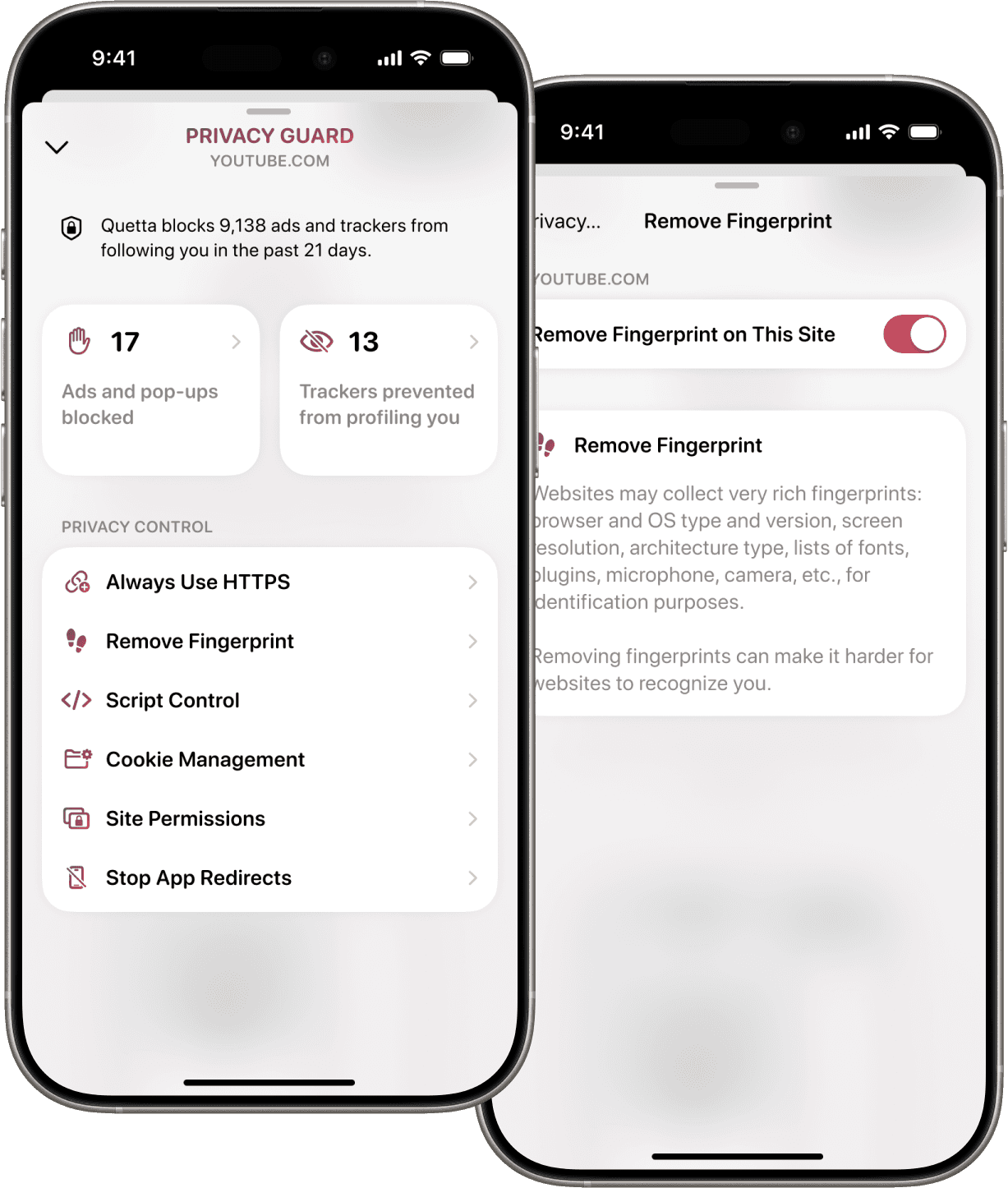
Make fingerprinting less useful
Reduce supported fingerprinting activity that may recognize a browser through device and software characteristics—even without ordinary cookies.
Cookies under your control
Choose how Quetta handles third-party cookies and site data. Use narrow exceptions when a trusted website needs them to work.
Private data stays protected
Use Data Vault to protect selected local browser data with device authentication. Online tracking protection and local data protection work as separate layers.
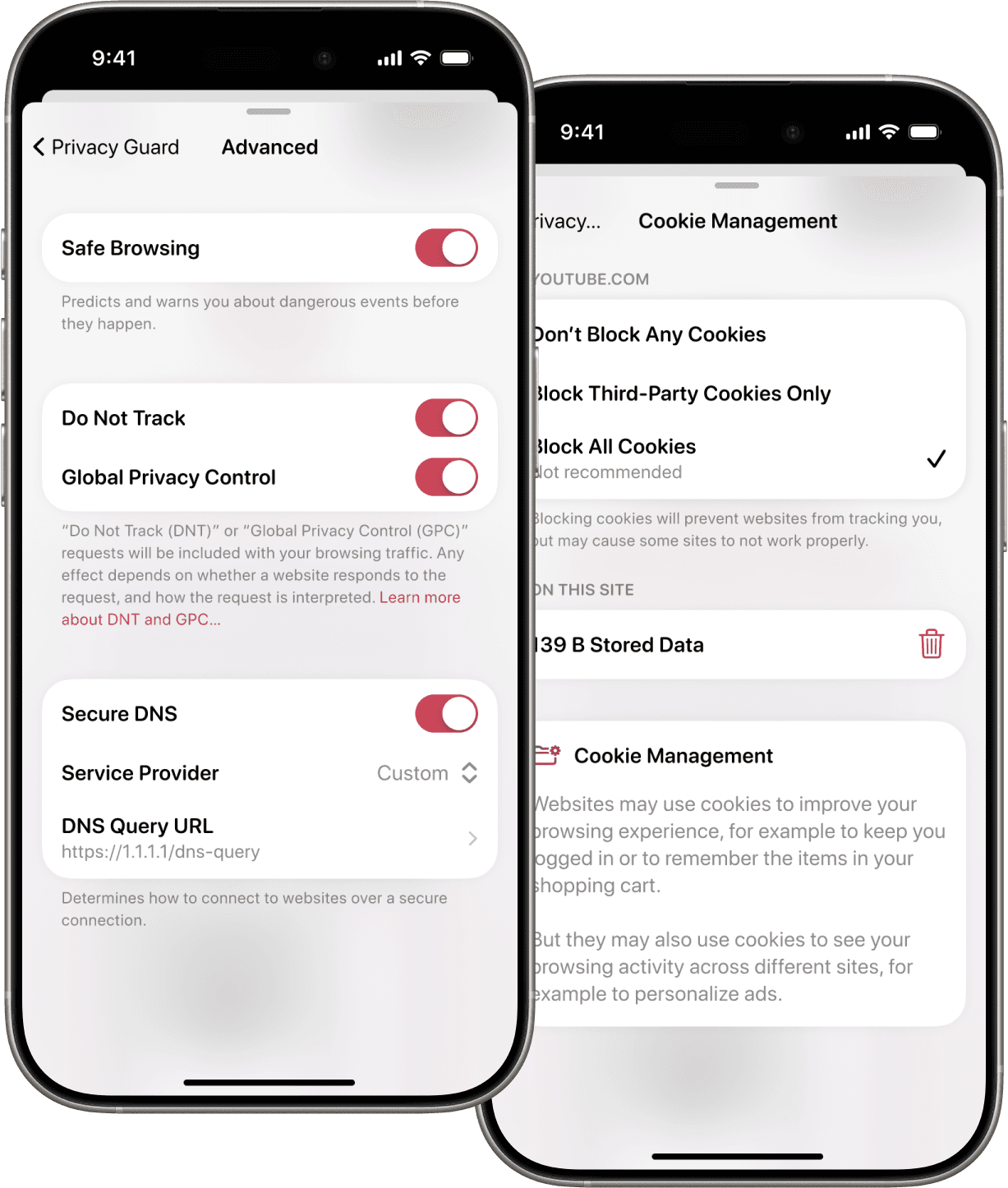
Anonymous browsing involves more than opening a private tab. Quetta reduces the need to connect everyday browser use to an email identity, while Privacy Guard provides controls intended to reduce supported cross-site trackers and fingerprinting activity, manage third-party cookies and scripts, prefer secure connections, and protect selected local browser data.
Privacy Guard does not hide every network identifier or make a third-party account anonymous after you sign in. For the complete product-led setup, see Quetta's anonymous and private browser for Android.
Privacy controls for everyday browsing

Prevent cross-site trackers
Reduce supported requests that attempt to follow activity between websites.

Control scripts by site
Restrict scripts when you need tighter control, then create a site-level exception for trusted pages that require them.

Reduce browser fingerprinting
Limit supported fingerprinting techniques that can make repeat visits easier to recognize.

Prefer secure connections
Use HTTPS where supported to help protect data while it travels between your browser and a website.

Manage third-party cookies
Control cross-site cookie behavior without treating every cookie as the same.

Send your GPC preference
Use Global Privacy Control to communicate a supported privacy preference to websites.
Websites often ask for an email address before you can create an account, receive an update, or complete a sign-up. Sharing the same address everywhere can make that address easier to connect across services and harder to replace when unwanted messages begin to arrive.
Quetta Email Mask gives you another option on Android. Open Quetta Email Mask to generate a random @quetta.email address, then use that address instead of your regular email when a website asks for one. Messages sent to the masked address appear in the built-in Quetta Inbox.
Generate a random address
Create up to five @quetta.email addresses without exposing the email address you normally use for personal communication. If you delete one of the five masks, you can create another.

Use it where an email is required
Copy the generated address into a website registration, newsletter form, online order, or another service where you prefer not to provide your regular address.
Check messages inside Quetta
Open the built-in Inbox to read messages sent to your Quetta Email Mask. The messages are received in Quetta rather than forwarded to your Gmail, Outlook, or another personal inbox.
Fill email fields more easily
When Quetta Autofill is enabled, tapping a supported username or email field displays the autofill bar. Confirm the address shown before submitting the form.
Delete a mask you no longer need
You can delete a masked address after confirming the permanent deletion. Deleting a mask also permanently deletes its Inbox, so change the email on any connected account and save anything important first.
An email mask can be useful for many routine sign-ups, but the best address depends on the account. Before using any masked address for banking, healthcare, travel, identity verification, or another essential service, consider its account-recovery and long-term access requirements.
Want to see the complete workflow? Learn how Quetta Email Mask works on Android, including what it does, where messages appear, and when to use a regular email address instead.
Clear defaults
Reduce supported requests that attempt to follow activity between websites.
Clear anonymity boundaries
Quetta can reduce the personal identity required for browser use and limit supported tracking methods. Privacy Guard does not automatically hide an IP address, override a signed-in identity, or stop every first-party, server-side, or emerging tracking technique.
Data practices you can review
Read what Quetta collects, why it is processed, and which choices are available in the current privacy policy.
Browse more privately on Android
See how tracker, cookie, fingerprinting, connection, and local-data controls work together in everyday mobile browsing.
Understand browser fingerprinting
Learn how websites combine browser and device signals, and why deleting cookies may not reset those signals.
Frequently asked questions
Does Quetta block every tracker?

Does Privacy Guard make me anonymous?
Can privacy protection break a website?
Is fingerprinting the same as cookie tracking?
Is Data Vault the same as tracker blocking?
Will Privacy Guard slow down browsing?
Does Privacy Guard make Quetta an anonymous browser?


