
Built into the browser · No separate downloader app · No account required
Choose your next browser built for videos





A Video Downloader Built into Your Mobile Browser
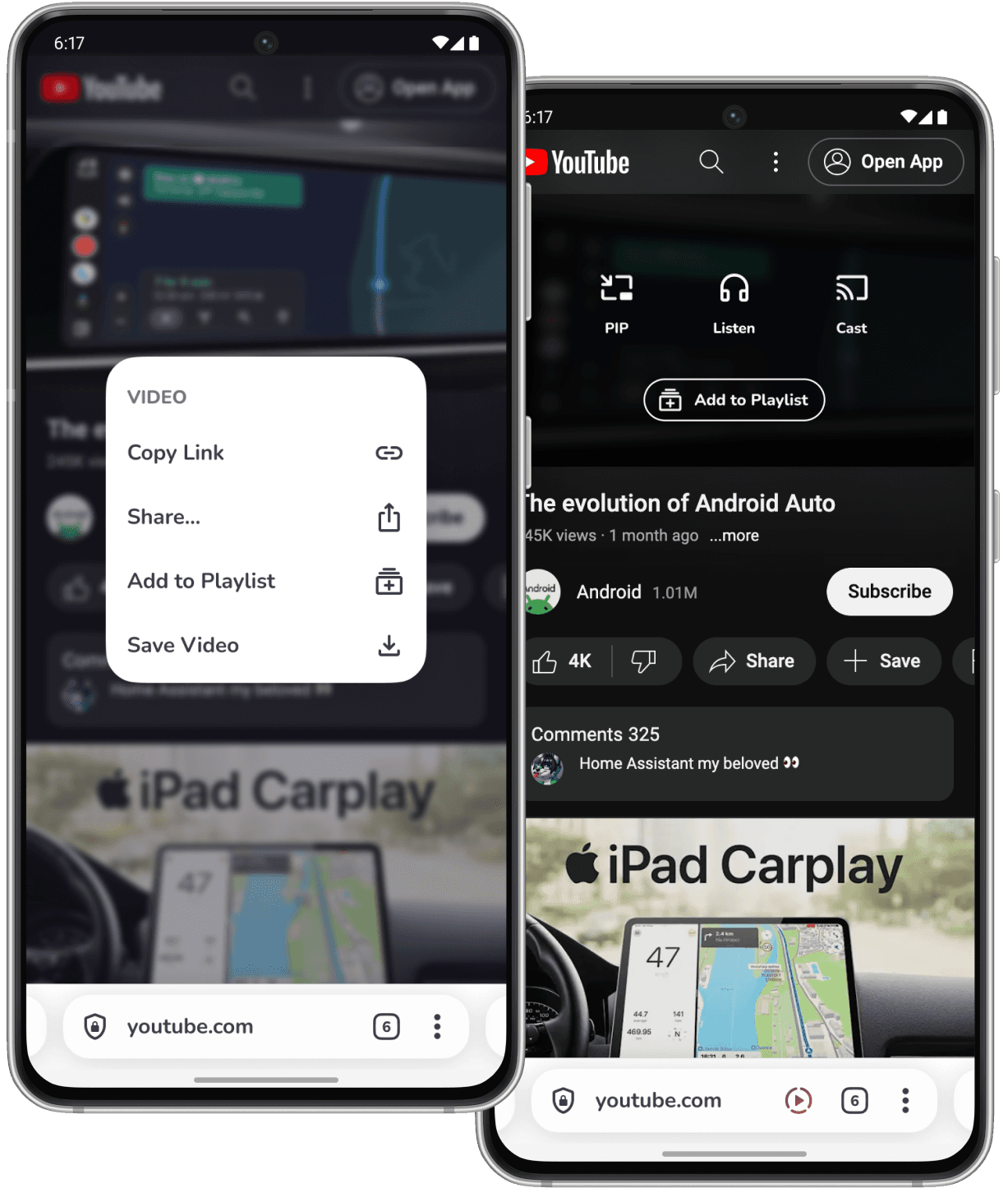
Quetta Video Downloader is part of Quetta Browser, not a separate paste-link website or standalone downloader app. When Quetta detects supported video media on a webpage, it provides an in-browser download option that lets you save the available file or stream to your mobile device.
Keeping video detection and downloading inside the browser removes the need to copy a video URL, switch to another app, or submit the link to an unfamiliar converter website. You can browse, detect, download and manage supported videos in one place.
Automatic Video Detection
Quetta checks supported webpages for downloadable video files and streams. When compatible media is available, the browser surfaces the download option automatically.
One-Tap Mobile Downloads
Save a supported video through Quetta’s download control without copying its URL into a third-party downloader or converter site.
Available Quality Selection
Quetta finds the resolutions provided by the source, allowing you to choose from available SD, HD or up to 4K options before downloading.
Free and Ad-Free Experience
The downloader is free to use and does not require an account. Quetta’s built-in ad blocking also helps reduce intrusive ads, redirects and misleading download buttons while you browse.
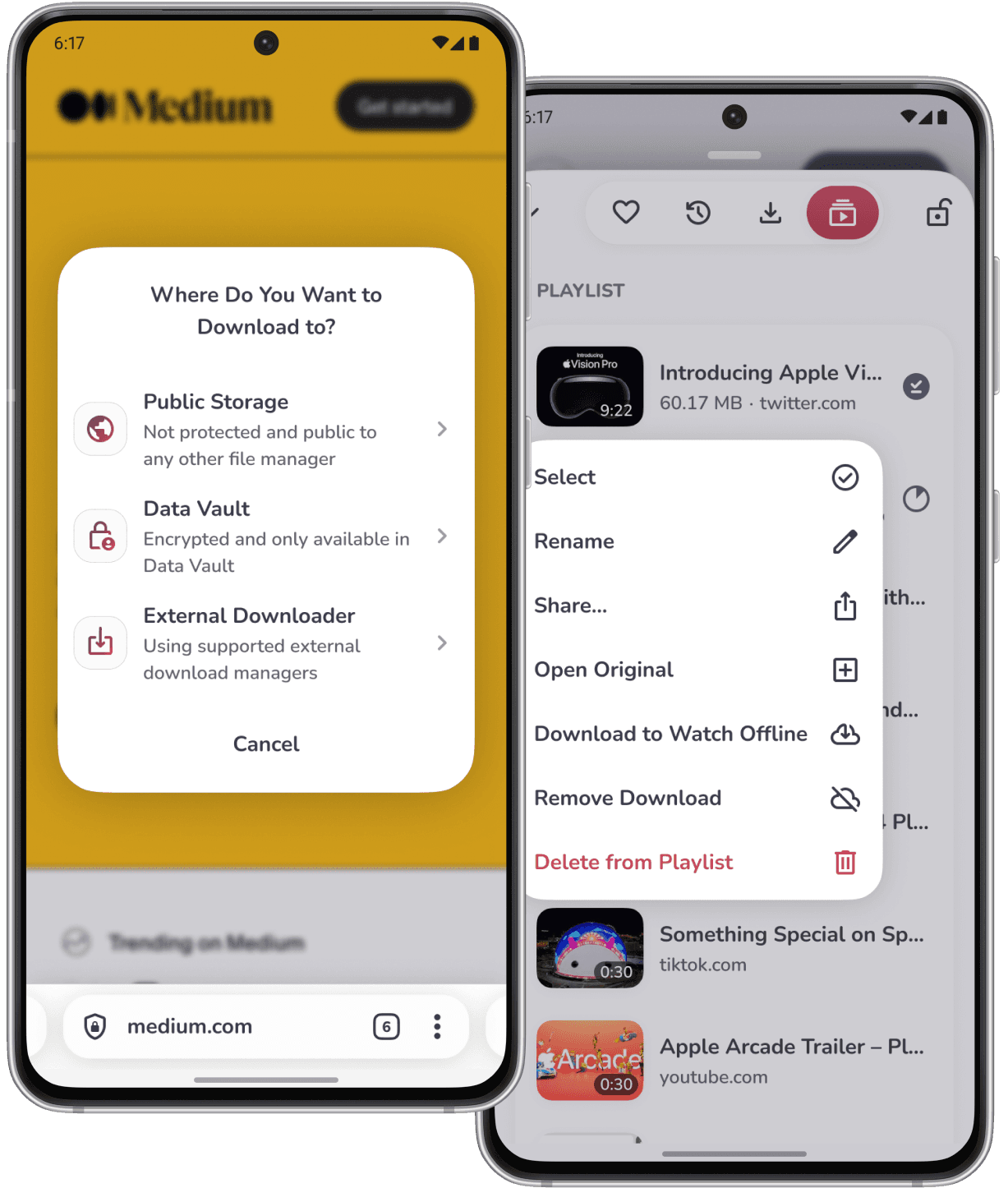
To download a supported video with Quetta, open the video page in the browser, start playback if detection requires it, open Quetta’s download control, choose an available file or quality, and confirm the download.
Install or Open Quetta Browser
Download Quetta from the official app store for your device, then open the browser.
Open a Supported Video Page
Visit the webpage containing a video you own or have permission to download.
Start the Video If Required
Some websites expose the video file or stream only after playback begins. Start the video and allow the page to load.
Open the Download Option
When Quetta detects supported downloadable media, use the download control shown by the browser or long press video.
Choose a Video and Quality
If several video files or resolutions are available, select the option that suits your device, connection and storage space.
Save and Manage the Video
Confirm the download and manage the saved video through Quetta’s download or media interface. Available storage locations may depend on your operating system and device settings.
A mobile browser with a built-in video downloader keeps browsing, video detection and saving in one workflow. It can reduce the need for paste-link converter sites, separate downloader apps, repeated URL copying and pages filled with misleading download controls.

No Paste-Link Converter Required
Download supported media from the page you are already viewing instead of sending the video URL to a separate converter service.

Fewer App-Switching Steps
Browse and download within Quetta rather than moving repeatedly between a browser, downloader website and file manager.

Cleaner Mobile Browsing
Quetta combines video downloading with built-in ad and tracker controls, helping reduce intrusive pop-ups, redirects and tracking-heavy pages.

Offline Viewing
Keep permitted videos available when you are travelling, commuting or using a connection that is slow, limited or unreliable. You can also organize saved and online videos with Quetta Playlist.

Local Video Management
Access downloaded media through the available download and storage tools on your device without relying on the original webpage for every playback.
Quetta’s built-in video downloader is useful when you need an authorized local copy of an online video for offline access, study, travel, teaching, creative reference or personal backup.
Watch Videos While Travelling
Save permitted videos before a flight, commute or low-connectivity trip so playback does not depend on a stable mobile connection.
Study and Research Offline
Keep authorized lectures, demonstrations, tutorials or research references available while studying or taking notes.
Prepare for Lessons and Presentations
Download approved video material in advance to reduce the risk of buffering during a lesson, workshop or presentation.
Save Creative References
Store media you own or have permission to use for mood boards, editing references and production planning.
Back Up Your Own Videos
Keep a local copy of videos you created, uploaded or are otherwise authorized to store.
Quetta can detect downloadable media across more than 1,000 supported websites, but no video downloader works with every video or website. Availability can change based on the page, video, region, account access, source format, website updates and technical restrictions.
Website Compatibility
Quetta works with supported social, media, news and video webpages that expose compatible downloadable files or streams. Support for a website does not mean that every video on that website will be available. See our guide to downloading supported videos with Quetta.
Available Video Quality
Quetta can only offer the resolutions made available by the source. A video may provide one quality, several SD or HD options, or up to 4K when a downloadable 4K source exists.
Protected and Restricted Media
DRM-controlled content, private media, paid or account-restricted video, encrypted streams, unsupported live video and other protected content may not be downloadable. Quetta does not bypass DRM or other access controls.
Website and Regional Changes
Video websites frequently change their players, delivery methods and regional availability. A video that works today may become unavailable after a website update or policy change.
Only download videos you own, content in the public domain, or media you have permission to save. Quetta does not grant rights to third-party content. Always follow the website’s terms and the copyright laws that apply in your location.
Frequently asked questions
What is Quetta Video Downloader?

Is Quetta a mobile browser or a separate downloader app?
Is Quetta Video Downloader free?
Where are downloaded videos saved?
Does Quetta work on every video website?
Why is no download option showing?
Can I control simultaneous video downloads?
Will downloading videos affect their quality?


