An Anonymous and Private Browser for Android
Use Quetta as a private and anonymous browser for Android without providing an email address. Reduce supported trackers, manage cookies and fingerprinting risks, and protect selected local browser data.
A private browser for Android should do more than delete local history after a session. Quetta combines built-in privacy controls with a mobile-first browsing experience, helping users reduce supported trackers, manage cookies and scripts, address fingerprinting risks, prefer encrypted connections, and protect selected local browser data.
What is a private browser for Android?
A private browser for Android is a browser designed to reduce unnecessary data exposure during normal browsing, not only when a private tab is open. Useful protections can include tracker prevention, third-party cookie controls, fingerprinting defenses, secure connections, site permissions, and clear information about what the browser company itself collects.
What makes Quetta an anonymous browser?
Quetta supports anonymous browsing by reducing the personal identity required for everyday browser use. You can browse without creating an email-based account, and optional Quetta Pass access can use an anonymous code instead of requiring an email address. Privacy Guard also provides controls intended to reduce supported trackers, cookies, scripts, and fingerprinting activity.
This is account and data minimization—not a promise to hide every network identifier. Websites generally receive the connection information needed to return content, and a service can identify an account you choose to sign in to.
Private browsing mode vs a private browser
Private or incognito mode usually changes what the browser keeps locally after the session. It may remove browsing history, cookies, or form data when the private window closes, but it does not automatically hide activity from websites, a signed-in account, an employer or school network, or an internet provider.
A privacy-focused browser applies protection during everyday browsing. It can reduce supported cross-site tracking, restrict certain storage or scripts, and give users ongoing control over permissions and local data. Quetta supports anonymous browsing through account and data minimization, but browser privacy does not automatically hide every network identifier or an identity you reveal to a website.
Privacy question | Private/incognito mode | Privacy-focused browser controls |
|---|---|---|
Keeps the session out of normal history | Usually | Depends on mode and settings |
Stops every website from seeing the IP address | No | No, not without another network layer |
Limits supported cross-site trackers | Varies | Can be built into normal browsing |
Addresses fingerprinting | Varies | Can include dedicated protection |
Controls third-party cookies | Varies | Can provide default and site-level controls |
Protects selected local data | Usually session-specific | Can include persistent protected storage |
Account anonymity and network anonymity solve different problems
Question | Quetta's role | Important boundary |
|---|---|---|
Must I provide an email address to browse? | No. Everyday browsing does not require an email-based account. | Optional services may involve additional choices described in the Privacy Policy. |
Can Quetta reduce supported trackers and fingerprinting? | Privacy Guard provides controls intended to reduce supported tracking and fingerprinting activity. | No browser can promise coverage of every technique. |
Does Quetta hide my IP address? | Not by itself. Browser privacy and network privacy are separate layers. | Websites and network providers generally process connection information. |
Am I anonymous after signing in to a website? | Quetta can still apply supported privacy controls. | The service can associate activity with the account you use. |
Review Quetta's current data practices and explore Privacy Guard.
Why Android users choose Quetta
Quetta is designed for people who want privacy controls without giving up practical mobile features. It combines browsing protection with tools for Android extensions, video playback, supported downloads, page cleanup, and protected saved content.
Quetta may be a fit if you want:
built-in controls for trackers, cookies, scripts, and site permissions;
fingerprinting protection;
a browser that does not require an account for basic use;
Android extension support with visible permission controls;
biometric protection for selected local browser data;
ad blocking and privacy controls in the same browser;
a mobile-first alternative to default Android browsers.
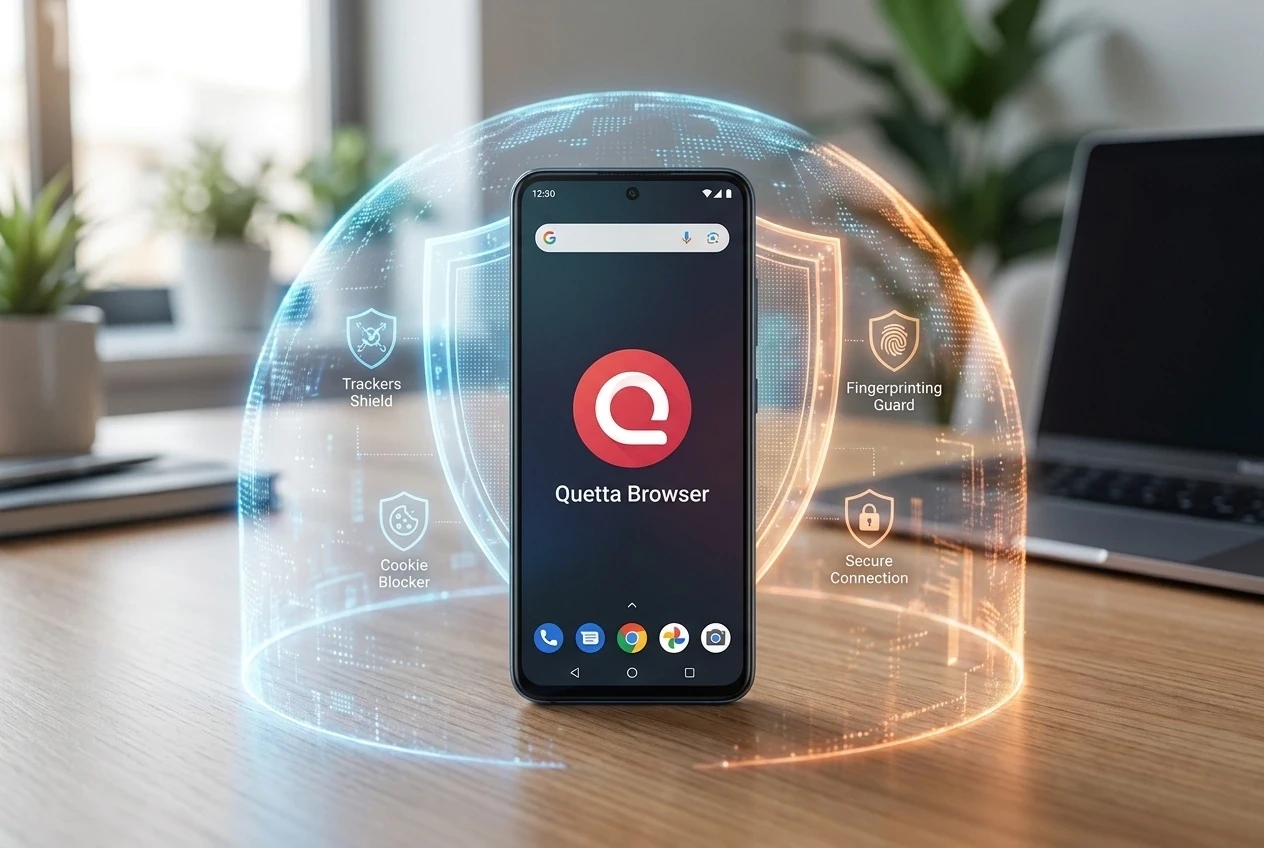
Reduce cross-site tracking
Cross-site tracking can connect activity across multiple websites for advertising, attribution, measurement, or profiling. Quetta Privacy Guard is designed to block matching tracking requests and known patterns on supported pages.
No tracker blocker can stop every kind of observation. A website may still identify a signed-in account, process data you provide, or use first-party tools. A trustworthy privacy page should explain those limits instead of promising invisibility.
Read the broader guide to how websites track you.
Manage third-party cookies
Third-party cookies can support embedded services, but they can also help advertising or measurement companies follow activity across websites. Quetta provides controls for third-party cookie behavior.
The best setting balances privacy and usability. Blocking all storage may interfere with sign-ins, payments, embedded videos, or customer-support tools. Quetta should let users create a narrow exception for a trusted website rather than turning protection off everywhere.
Follow the step-by-step guide to block third-party cookies on Android.
Reduce fingerprint-based tracking
Browser fingerprinting can combine properties such as screen size, language, fonts, graphics behavior, and browser APIs to make repeat visits easier to recognize. It may work even after cookies are cleared.
Quetta includes fingerprinting protection intended to make supported techniques less useful. Because protection methods can affect website functionality, Quetta should document which techniques it addresses, what is enabled by default, and how to troubleshoot a trusted site.
Explore Quetta's browser fingerprinting protection.
Protect local browsing data
People nearby can pose a different privacy risk from online trackers. Quetta Data Vault helps protect browser data you do not want other people to access by requiring supported device authentication, such as fingerprint or facial recognition, before the protected data can be opened.
This can be useful for saved media, browsing records, or other sensitive content on a shared or temporarily unlocked device. It does not hide activity from a website or make a signed-in account anonymous; it protects selected local information.
Use extensions with permission awareness
Browser extensions can add useful capabilities, but some request access to page content, browsing activity, downloads, or account data. Before installing an extension:
Check the publisher and source.
Read the requested permissions.
Prefer the narrowest access that supports the task.
Remove extensions you no longer use.
Recheck permissions after major updates.
Quetta supports compatible Android extensions from Chrome Web Store & Microsoft Edge. Extension support does not mean every extension is safe or fully compatible.
Browse without an email-based account
Quetta does not require an account for everyday browsing. For optional features such as Sync & Backup, Quetta Pass can provide an anonymous-code sign-in route without requiring an email address. Users may also choose an email-based option where available.
Quetta's current Privacy Policy states that it does not collect personal information by default unless a user explicitly chooses to provide it. The policy also describes limited aggregated, non-personally identifiable usage information for diagnostics, analytics, usage estimates, and product improvement. Read the current Privacy Policy for the complete description and available controls.
Quetta Pass uses a randomly generated identifier and QR-code-based flow so users can access supported optional features without relying on an email identity. Exact recovery behavior and availability can vary by product version.
A practical Android privacy setup
Use this as a starting point, then adjust it for the websites you trust:
Install the current version of Quetta from an official source.
Open Privacy Guard and review the recommended defaults.
Choose a third-party cookie policy that limits cross-site tracking.
Prefer HTTPS connections where supported.
Review camera, microphone, location, notification, and storage permissions.
Protect sensitive local data with Data Vault.
Review extension permissions before installation.
Test important login, payment, and media websites before making Quetta your default browser.
What a private Android browser cannot do
A private browser can reduce risk, but it cannot by itself:
hide a signed-in identity from the service receiving it;
prevent a user from sharing personal information;
guarantee that every website is safe;
stop every unknown or first-party tracking technique;
hide the connection from every network observer;
protect activity inside other Android apps.
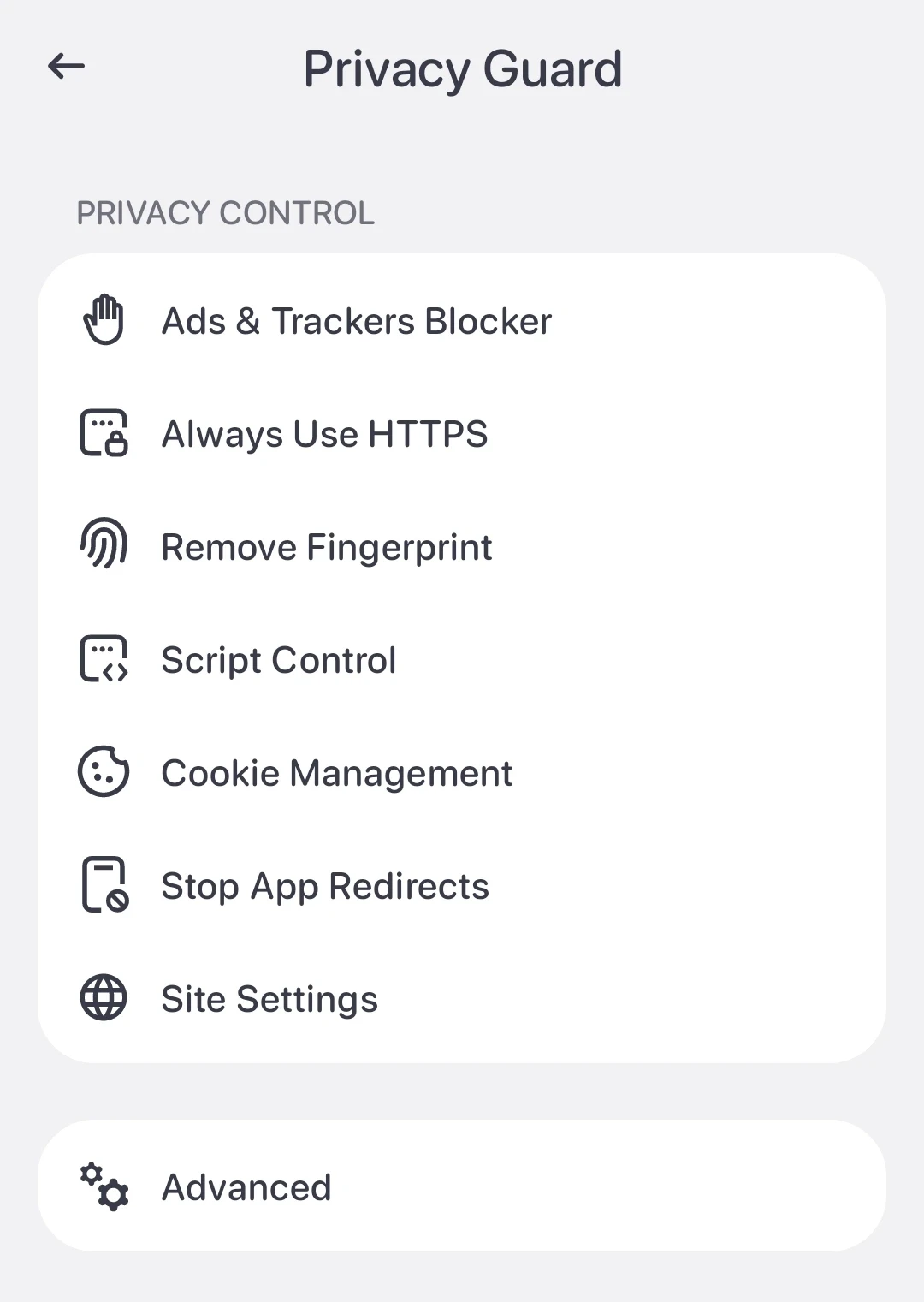
Quetta, Brave, or Firefox for Android?
The best choice depends on what you need. Brave emphasizes a broad privacy ecosystem and Shields. Firefox Android offers Mozilla's Enhanced Tracking Protection and supported add-ons. Quetta combines privacy controls with Android extension support, video tools, and protected mobile content.
For a detailed evaluation, read Quetta vs Brave and Quetta vs Firefox Android.
Try Quetta on Android
Choose a browser based on documented controls, realistic privacy claims, update practices, and the mobile workflows you use every day. Explore Quetta Privacy Guard, review the privacy policy, and download Quetta from an official source.
Frequently asked questions
Is Quetta an anonymous browser?
Quetta supports anonymous browsing through data-minimizing access and privacy controls: everyday browsing does not require an email-based account, and supported controls can reduce trackers, cookies, fingerprinting activity, and local-data exposure. This does not automatically hide an IP address or an identity you disclose to a third-party website.
What is Quetta Pass?
Quetta Pass is an optional sign-in method that uses a randomly generated identifier and QR-code-based flow instead of requiring an email address. Availability and recovery behavior depend on the current Quetta version.
Does Quetta collect browsing data?
Quetta's Privacy Policy states that it does not collect personal information by default unless a user explicitly provides it. The policy also describes limited aggregated, non-personally identifiable usage information for diagnostics, analytics, usage estimates, and product improvement. Consult the current policy for the complete description and controls.
Is private browsing on Android actually private?
Private browsing mainly limits what remains in the browser's normal local history after a private session. It does not automatically hide activity from websites, signed-in services, network administrators, or internet providers. Broader privacy requires controls that operate during the session as well.
Does a private browser hide my IP address?
Not by default. Websites generally receive the IP address used to connect to them. A private browser may reduce trackers and stored identifiers, but IP-address privacy requires a separate, trustworthy network layer and still does not make signed-in activity anonymous.
Can an Android browser stop all tracking?
No. A browser can block many supported tracking requests, cookies, and scripts, but sites can use first-party data, signed-in activity, information users submit, or new techniques. Privacy protection should be described as risk reduction, not total invisibility.
Which Android browser is best for privacy?
The answer depends on your threat model and daily needs. Compare default tracker protection, third-party cookie handling, fingerprinting defenses, update practices, extension permissions, local-data protection, company data practices, and how easily you can create site-specific exceptions.
Does Quetta require an account?
No. You can use Quetta for everyday browsing without signing up or signing in. If you want to use optional features such as Sync & Backup, you can create or access a Quetta Pass using an anonymous code, without providing an email address. You may also choose to use your email instead. Review the Quetta Privacy Policy for details about how data is processed when you use these optional services.