Save, Organize, and Play Supported Videos With Quetta Playlist
Quetta Playlist gives you one place to save, organize, and return to supported web videos. When a compatible video can be saved, you can keep it available for offline viewing and use Quetta’s playback controls. Website support, available controls, and offline access can vary by source, platform, Quetta version, and content permissions.

Quetta’s built-in video playlist lets you organize videos from different websites into one place, so you can watch them later without searching again.


Build Your Own Video Playlist Library
Quetta allows you to download and sync video content across devices. Whether it's a tutorial from YouTube or a clip from social media, our built-in video player ensures an ad-free viewing experience even in airplane mode.
Save Supported Videos in One List
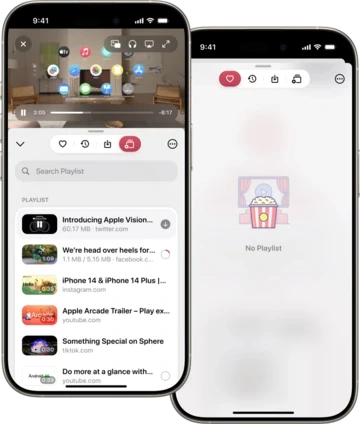
Add a compatible web video to Playlist so you can find it again without searching the original page. A video must be detected and supported before it can be added.
Add Extra Protection With Data Vault
For supported saved files that you want to protect, use Quetta Data Vault and the access controls available on your device. Playlist itself should not be described as encrypted unless the item is stored in the protected Vault workflow.
Watch Saved Videos With Fewer Web Interruptions
Playback of a supported saved file does not reload the original webpage’s advertising and tracking resources. This is different from promising that every source video or page will always be ad-free.
Use Quetta Playback Controls
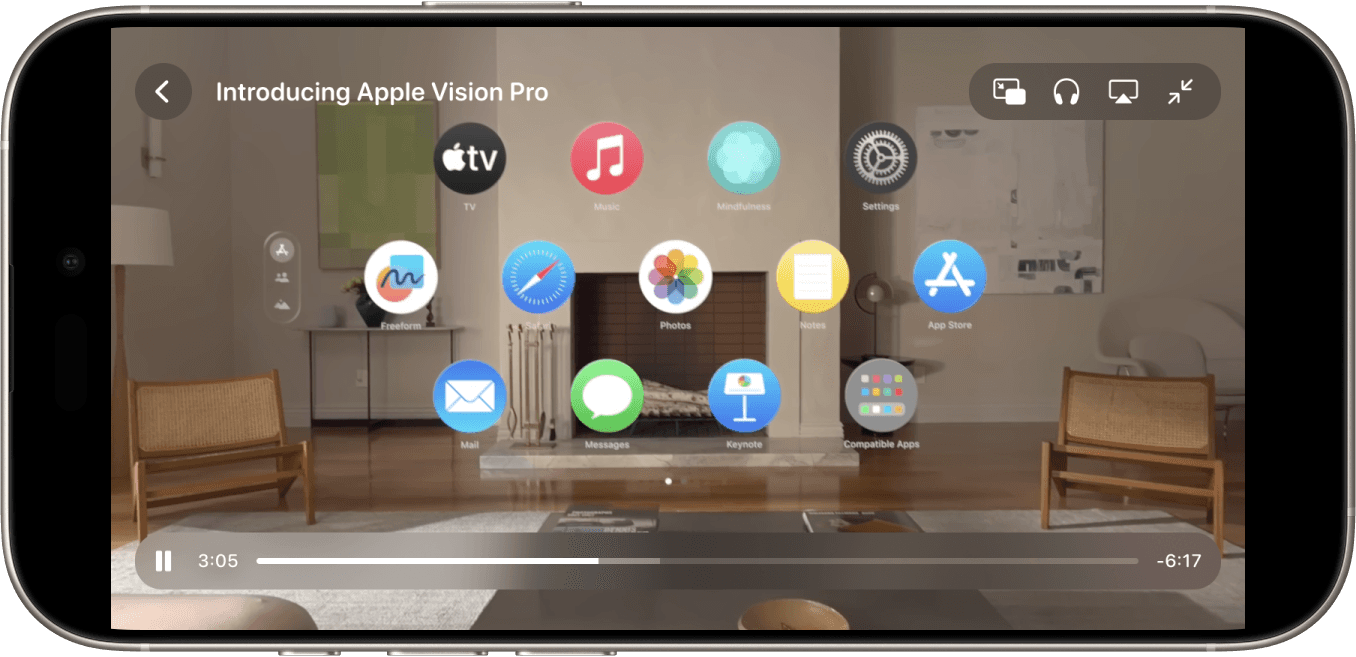
Play supported saved videos with the controls available in the current Quetta version. These can include picture-in-picture, background audio, playback speed, captions, or casting, depending on the file, platform, and device.
How Quetta Playlist Works
Open a supported video page: Load the original page in Quetta and start playback if the media has not loaded yet.
Add the video to Playlist: Use the available player control or tap-and-hold action when Quetta displays it.
Review the saved item: Confirm the title, source, and available playback state in Playlist.
Save for offline use when available: Offline access requires a compatible, permitted media resource.
Choose a playback mode: Use normal playback, picture-in-picture, background audio, or another available control.
Protect selected files if needed: Move supported saved content into Data Vault when you want its additional access controls.
Features That Make Video Playlists Better in Quetta
Quetta makes it easier to save, organize, and watch videos from different websites in one place. With built-in playlists and offline support, you can manage your favorite videos and watch them anytime.

Discover and Save Videos
Easily find videos on web pages and add them to your playlist to watch later.

Works Across Many Websites
Add videos from a wide range of supported websites to your playlist and access them anytime.

Watch Playlist Videos Offline
Save videos to your playlist and watch them later, even without an internet connection.

Flexible Video Playback
Enjoy features like picture-in-picture, background playback, and playback speed control. Learn how to set up picture-in-picture and background playback in Quetta.

Add Videos to Playlist Instantly
Tap and hold any supported video to add it to your playlist for quick access later.

Keep downloaded videos private
Your saved videos and playlists stay secure in Quetta’s private Data Vault.
When a Video Cannot Be Added to Playlist
A video may be playable but unavailable to Playlist. Common reasons include DRM, unsupported formats, login or subscription requirements, private access, expiring media URLs, player design, or platform/version differences. Start playback, update Quetta, and test another supported page before assuming Playlist is broken. Quetta does not bypass access controls.
Frequently asked questions
How can I download and watch videos offline using the Quetta Playlist?

Does the Playlist feature support background playback and ad-blocking?
Which websites are compatible with the Quetta Video Playlist?
How does the Playlist feature enhance my viewing experience?
Why is the "Add to Playlist" button not appearing on some videos?
Are my saved Playlist videos private and encrypted?


