Video Downloader Extension vs Built-In Browser: Which Fits?
Compare a video downloader extension with a browser that has downloading built in. Choose by platform, browser loyalty, permissions, YouTube support, mobile use, updates, and workflow.

Kayla
Quetta Networks


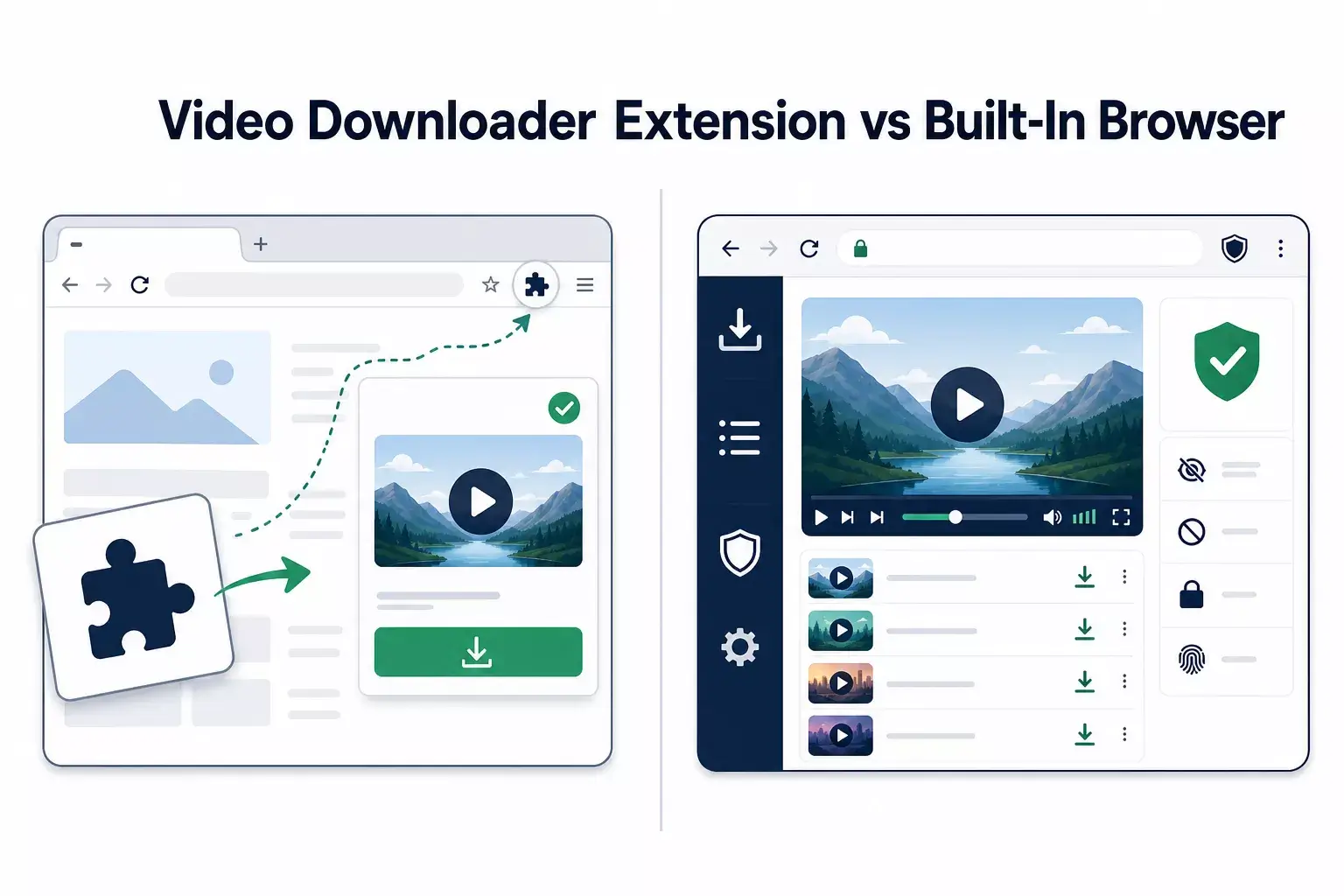
Choose a downloader extension when you want to keep using Firefox or Edge and add media detection to that browser. Choose a browser with downloading built in when you want playback, detection, downloading, privacy controls, and file management designed as one product. Platform support and YouTube compatibility can decide the choice.
The distinction is not simply “small extension versus large app.” The two models differ in installation, permissions, browser dependence, update responsibility, mobile availability, and how deeply downloading integrates with the browsing experience.
Quick decision table
Need | Better starting point |
|---|---|
Keep using Firefox | Quetta extension for Firefox |
Keep using Microsoft Edge | Quetta extension for Edge |
Download supported YouTube video/audio in an extension | Firefox or Edge extension |
Use Chrome for general compatible video, HLS/M3U8, or live media | Chrome extension, excluding YouTube |
Integrated Android workflow | Quetta Browser for Android |
Integrated Windows/macOS workflow | Quetta desktop browser |
One product for video, playlist, privacy, and browsing | Built-in browser |
Minimal change to an existing PC setup | Extension |
What a downloader extension adds
An extension modifies or extends an existing browser. Quetta Video Downloader can add:
Detection of compatible video files and streams.
A toolbar panel for available media.
On-video or context-menu controls.
Browser-managed downloads.
Format and resolution choices supplied by the source.
The extension remains dependent on its host browser. Browser-store policy, permission systems, manifest changes, and browser updates can affect capability.
This is visible in YouTube support: Quetta’s Firefox and Edge extensions currently support compatible YouTube video and audio downloads, while the Chrome extension does not.
See the Quetta Video Downloader extension for current browser support, or follow the direct Firefox and Edge YouTube instructions.
What a built-in downloader changes
A built-in downloader is part of the browser rather than an add-on. That allows the browser to coordinate downloading with its own playback, media controls, privacy features, Playlist, and file-management experience.
This model is useful when:
Video is a central browsing activity.
You want to avoid installing multiple extensions.
Mobile downloading is required.
You want the browser’s media and privacy tools in one interface.
You are comfortable adopting another browser.
Quetta’s built-in Video Downloader is designed for compatible media in Quetta Browser. Platform capabilities still vary, and a built-in tool does not mean every website or protected source is downloadable.
Permissions: compare scope, not labels
An extension can request webpage, tab, site, or download access through the host browser. A complete browser has native access to its own browsing and download functions. Neither model should be judged from a single permission name without context.
Mozilla explains what Firefox extension permission prompts mean in its official permission guide. Microsoft also lets Edge users manage whether an extension runs when clicked, on the current site, or on all sites; see Edge site access settings.
For either model, review:
Publisher identity.
Official installation source.
Privacy policy.
Scope of access.
Update channel.
Data handling.
Current support limitations.
Desktop and mobile lead to different choices
Desktop users can reasonably choose between a complete browser and an extension. Mobile users have fewer extension routes and more operating-system storage constraints.
On Windows
Use Quetta for Windows for an integrated browser, or Firefox/Edge extensions to stay in an existing browser. Compare the two routes in How to download YouTube videos on Windows.
On macOS
Use Quetta for Mac for an integrated workflow. The complete browser also avoids treating Mac as merely another extension host. Follow the Mac-specific guide for storage and permission considerations.
On Android
Quetta’s video downloader is built into the browser. Android distribution channel, storage, battery optimization, and app-link behavior make the mobile workflow distinct. See How to download YouTube videos on Android.
Updates and compatibility
An extension and its host browser update independently. A complete browser controls more of its own media workflow, but website changes can still affect detection. In both cases:
Keep the product current.
Verify the current supported browser and platform.
Test another publicly accessible video before diagnosing a global failure.
Report the product version and failure stage.
Do not assume that playable means downloadable.
Use the consolidated YouTube download troubleshooting guide when detection, format selection, transfer, or playback fails.
Which approach should you choose?
Choose the extension if the sentence below describes you:
“I already use Firefox or Edge on my computer and want to add supported media detection without changing my main browser.”
Choose the built-in browser if this sentence is closer:
“Video playback, downloading, offline organization, privacy, and mobile use are important enough that I want them designed as one experience.”
For the complete device overview, read all supported YouTube download options with Quetta.
Frequently asked questions
Is a built-in downloader always more powerful than an extension?
No. Capability depends on the platform, source, browser, policies, and implementation. The integrated model changes the workflow, not a universal support guarantee.
Which Quetta extension supports YouTube?
The Firefox and Microsoft Edge versions currently support compatible YouTube video and audio downloads. The Chrome extension does not.
Do I need both Quetta Browser and the extension?
No. Choose the route that matches your device and preferred browser. Installing both is unnecessary unless you intentionally use separate workflows.
Which option is better on Android?
Use the compatible built-in Quetta Browser experience. Desktop browser extensions should not be treated as the default Android route.