Twitch Ad Blocker Stopped Working? Try These 7 Fixes
Twitch ads showing again? Try seven practical fixes for extensions, filter lists, browser conflicts, site data, purple screens, and playback problems.

Kayla
Quetta Networks


If your Twitch ad blocker suddenly stopped working, first confirm that the extension is enabled, update the blocker and its filter lists, disable conflicting tools, clear Twitch site data, and restart the browser. A purple or black screen may indicate stream interference rather than a disabled extension. Results can change as Twitch updates its player and ad delivery.
Use the checklist below in order. Test Twitch after each step so you can identify which change fixes the problem instead of changing several settings at once.
Why Twitch Ad Blockers Break So Often
Why a Twitch Ad Blocker Can Suddenly Stop Working
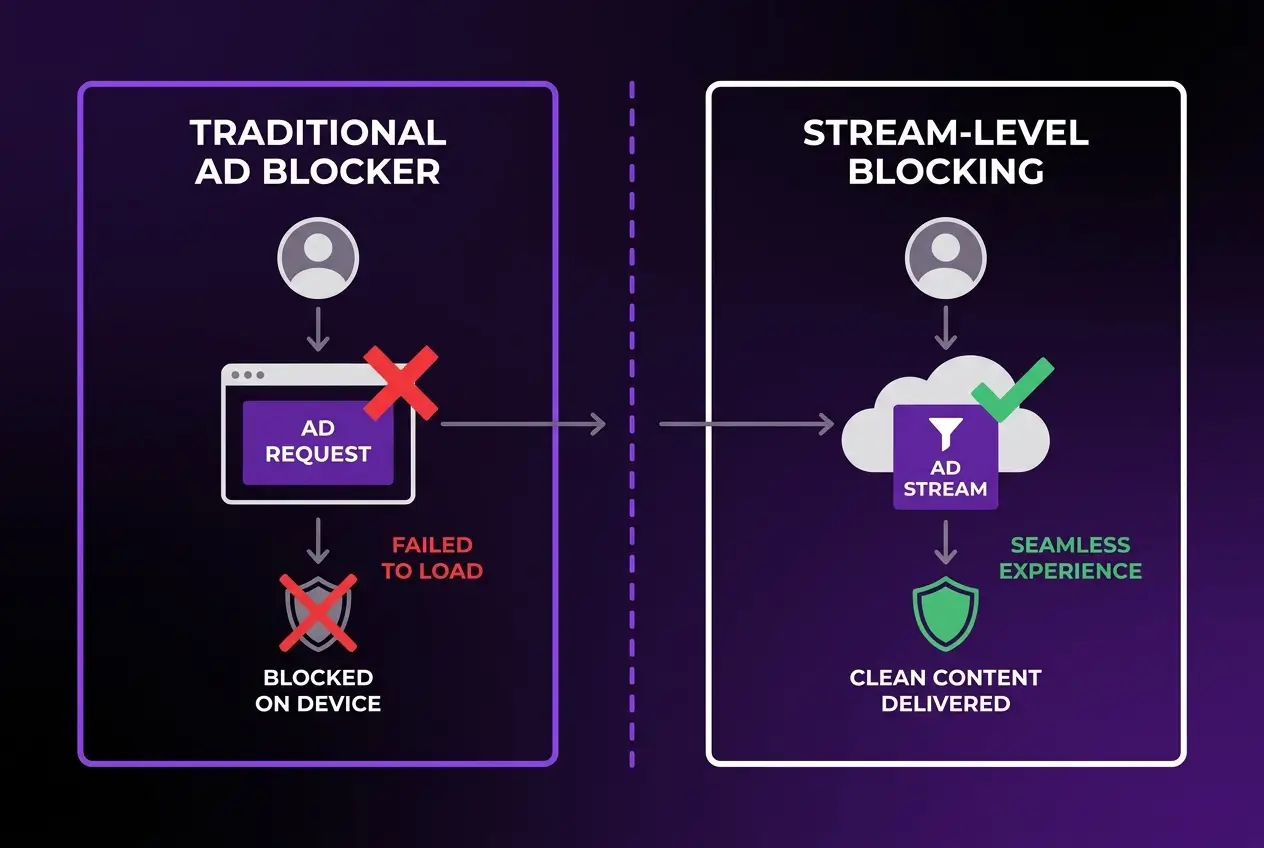
A Twitch ad blocker may stop working after a browser update, an extension update, a filter-list change, or a change to Twitch’s player and ad delivery. Because Twitch is a live-streaming platform, blocking can also interfere with playback and produce a purple screen, black screen, loading loop, or temporary quality drop.
This guide focuses on what to check and change. For the technical background, read why Twitch ad blockers fail and what the playback symptoms mean.
Quick Checklist: Fix a Twitch Ad Blocker That Stopped Working
Work through these fixes one at a time. Reload Twitch and test more than one stream after each change.
1. Confirm That the Ad Blocker Is Enabled
Open your browser’s extension manager and make sure the blocker is enabled for Twitch. Check whether a browser update disabled it, whether Twitch was added to an allowlist, or whether the extension is restricted in private browsing.
If the blocker has a site-specific power button, open Twitch and confirm that protection is active for twitch.tv.
2. Update the Browser and the Ad-Blocking Extension
Install pending updates for both the browser and the blocker, then fully restart the browser. An outdated extension may not work correctly after a browser or website change, while an outdated browser may prevent the current extension version from loading properly.
Do not install unofficial copies or random scripts simply because they claim to provide a quick Twitch fix.
3. Refresh the Filter Lists
If your blocker uses filter lists, open its settings and refresh them. For uBlock Origin, the usual process is to open the dashboard, go to Filter lists, purge outdated cache if that option is available, and select Update now. Menu labels can vary by version.
After the update finishes, close Twitch tabs, reopen the site, and test a stream again.
4. Disable Conflicting Blockers, VPNs, and Custom Scripts
Running several blockers at the same time can create duplicate or conflicting rules. A VPN, Private DNS service, browser privacy feature, or Twitch-specific userscript may also change how the player loads.
Temporarily disable these tools one at a time—not all at once—and test Twitch after each change. Keep the simplest setup that works reliably for you.
5. Clear Twitch Site Data
Clear cookies and cached site data for Twitch, then sign in again. This can remove stale player files or site settings that remain after an extension or filter update.
You do not need to erase your entire browsing history. Clear data for twitch.tv first, restart the browser, and test again.
6. Identify Whether the Problem Is Twitch, the Browser, or One Stream
Test at least two live channels. Then try a private window or a second browser with the same blocker, if supported. This helps separate a channel-specific problem from a browser-wide or account-wide issue.
Record what you see: normal ads, a purple screen, a black screen, endless loading, or a quality drop. Different symptoms can point to different causes.
7. Choose an Alternative If the Current Setup Still Fails
If the blocker still does not work, you can test a browser with built-in blocking, review a different extension setup, or use Twitch’s official paid ad-free option. No blocking method should be treated as permanently reliable because website, browser, and filter behavior can change.
Before switching tools, compare the current Twitch ad-blocking options, their setup requirements, and their limitations.
What Your Twitch Playback Symptom May Mean
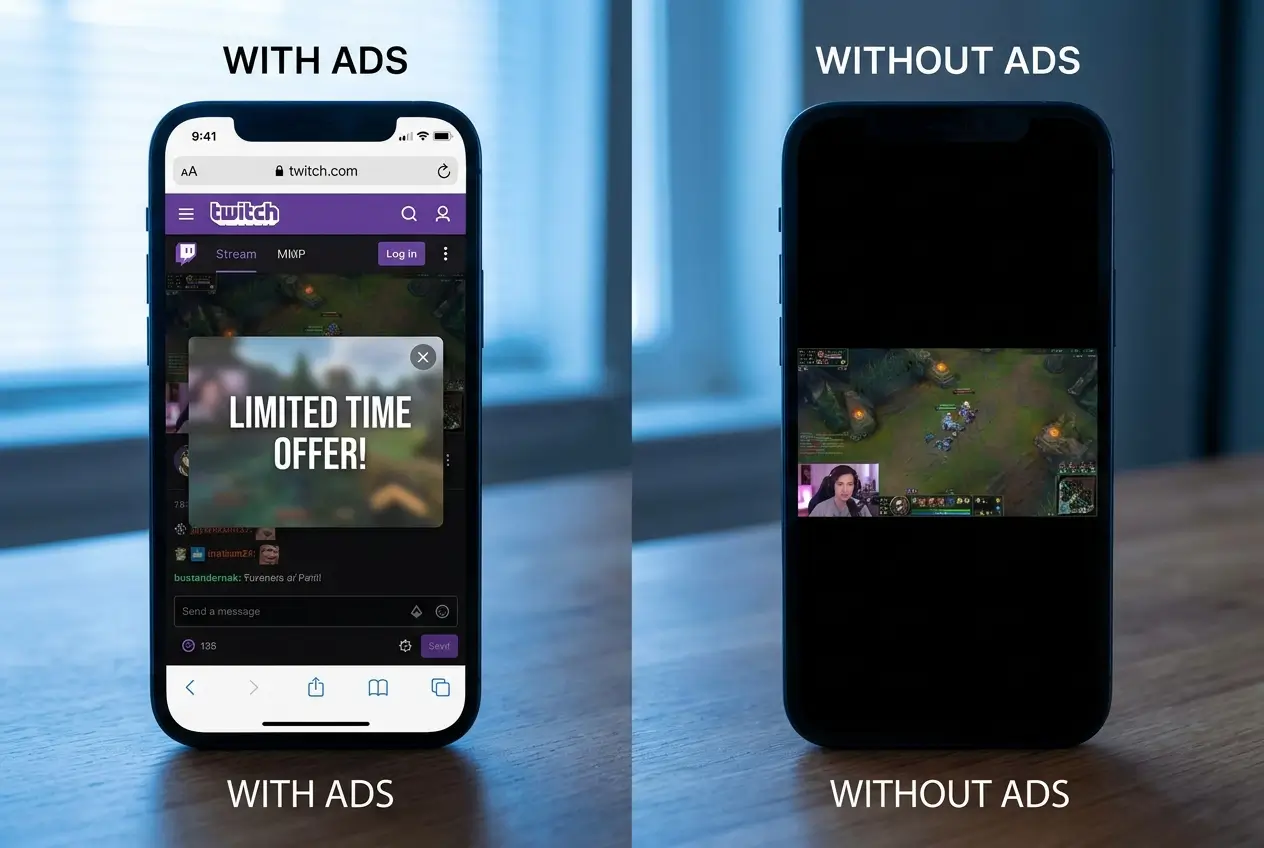
Twitch Ads Play Normally
The blocker may be disabled, allowlisted, outdated, or unable to affect the current ad-delivery method. Start with Steps 1–3.
Twitch Shows a Purple Screen
A purple screen can appear when Twitch detects or reacts to interrupted playback, or when a blocking rule prevents part of the stream from loading correctly. Update the blocker, remove conflicts, and test again before adding more tools.
Twitch Shows a Black Screen or Endless Loading
A black screen or loading loop may indicate that the player did not receive everything it expected. Disable overlapping blockers or scripts, clear Twitch site data, and test another stream.
Stream Quality Drops
Some blocking approaches may affect the stream selected during an ad break or player transition. Test without custom Twitch scripts or duplicate blockers to identify the source of the quality change.
The Blocker Works Everywhere Except Twitch
This does not necessarily mean the extension is broken. Twitch’s live-stream ad delivery differs from ordinary banner and page advertising. Read the detailed explanation of why ad blockers can behave differently on Twitch.


Frequently Asked Questions
Why did my Twitch ad blocker suddenly stop working?
A recent browser, extension, filter-list, or Twitch player change may have affected the setup. Confirm that the blocker is enabled, update it, refresh its filters, remove conflicts, and restart the browser before replacing the tool.
How do I update uBlock Origin filters for Twitch?
Open the uBlock Origin dashboard, find Filter lists, purge outdated cache if the option is available, and select Update now. Restart the browser and test Twitch again. Interface labels can differ by version and browser.
Can two ad blockers conflict on Twitch?
Yes. Multiple extensions, custom scripts, VPN filtering, Private DNS, and browser-level blocking can apply overlapping rules. Disable one layer at a time and keep the simplest setup that produces stable playback.
Why does Twitch show a purple or black screen with an ad blocker?
The player may be receiving an incomplete or altered stream response, or Twitch may be reacting to interrupted ad playback. Update the blocker, remove conflicts, clear Twitch site data, and test another stream.
Does Twitch Turbo remove ads?
Twitch Turbo is Twitch’s official paid ad-free viewing option. Pricing, availability, and exceptions can vary by region and may change, so check Twitch’s current official information before subscribing.
Should I switch to a different Twitch ad blocker?
Switch only after confirming that the current blocker is enabled, updated, and free from conflicts. If it still fails, compare browser support, maintenance needs, cost, and playback limitations in the Twitch ad blocker comparison.
Final Checklist
When a Twitch ad blocker stops working, begin with the lowest-risk fixes: confirm that it is enabled, install updates, refresh filter lists, remove conflicts, clear Twitch site data, and test another stream. If the problem continues, identify the playback symptom before changing tools. This is more reliable than stacking several blockers or installing unverified scripts at once.