Download Videos from Supported Public X and Twitter Posts
Download videos detected in supported public X and Twitter posts with Quetta Browser. Learn which post to open, where to find the file, and why some media is unavailable.
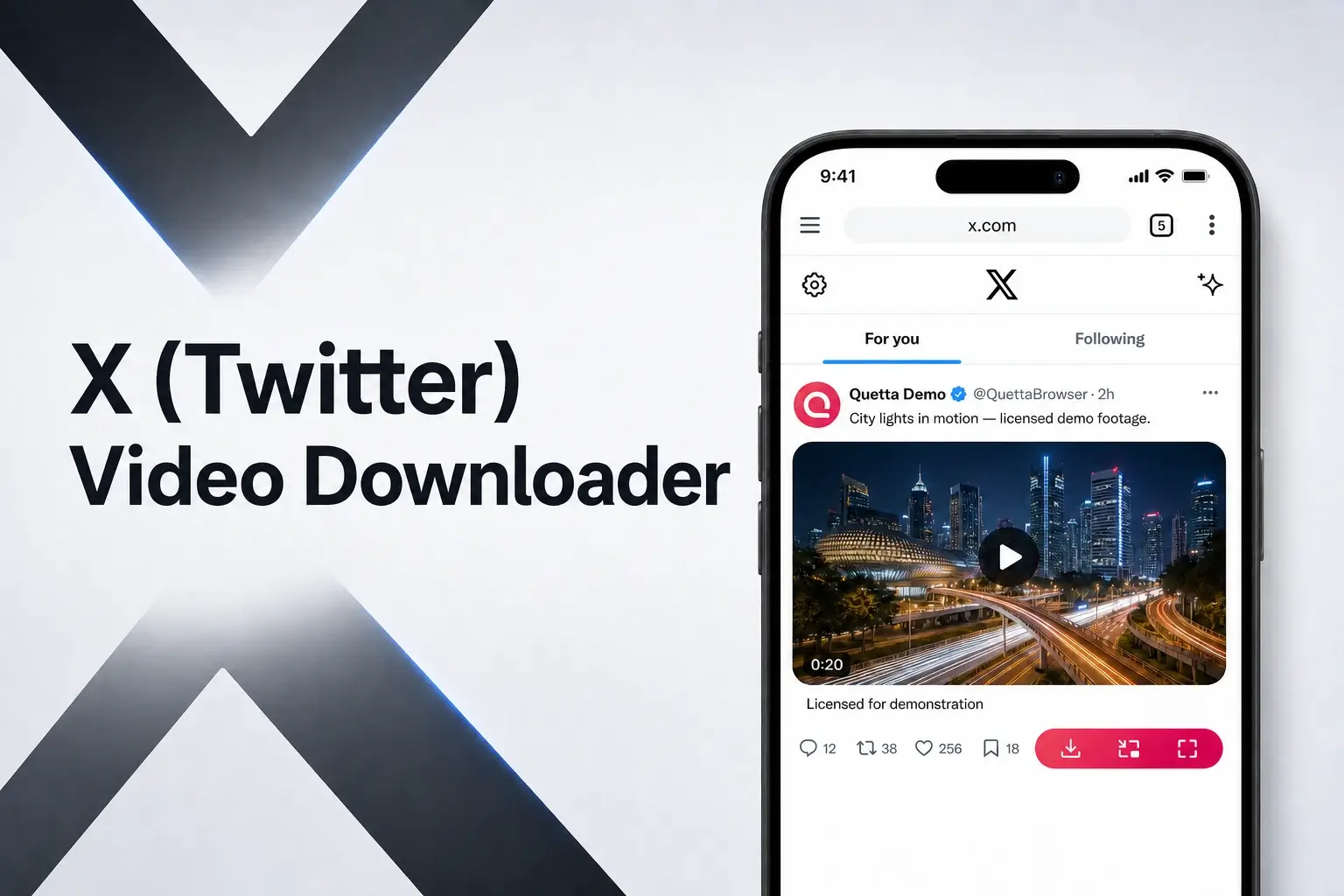
To download a video detected in a supported public X or Twitter post, open the post itself inside Quetta Browser, start the video, and use Quetta's available media-download control. Open the original post rather than relying on a timeline preview, then choose from the compatible media options detected on that page.
This page is specific to X posts. It explains the difference between a timeline preview and the original post, how replies and reposts can point to another source, and why login, privacy, region, or media delivery can prevent detection.
X/Twitter answer: Open the original public post inside Quetta and play the video before checking the download control. A preview, repost, private post, or protected media may not expose the same resource.
Open the original post before downloading
X can display the same video in several contexts: the home timeline, search results, a reply thread, a repost, an embedded card, or the original post page. These contexts are not interchangeable for media detection.
Use this sequence:
Select the post so it opens on its own page.
If it is a repost or quoted post, open the post that originally contains the video.
Confirm that the video plays in the page open inside Quetta.
Wait for the player to load its media.
Open Quetta's available video-download control.
This post-first workflow distinguishes the X page from Quetta's YouTube guides, where browser and device compatibility are the main decision.
Download a detected X video with Quetta
Open Quetta Browser on the supported device.
Navigate to X and open the public post containing the video.
Start playback.
Long-press the video or open Quetta's available media control.
Review the video options detected from the post.
Choose an available option.
Confirm the download and wait for completion.
Open Quetta's download or media interface to find the file.
Quetta detects compatible media available to the page. It does not require sending the X post URL to a separate online converter.
Use Quetta on your device
Timeline preview, repost, quote and original post
When a video appears in a repost or quoted post, the visible post may not be the page that supplies the original media. Opening the original post gives the browser a clearer chance to load the relevant player and media request.
What you are viewing | What to do |
|---|---|
Timeline or search preview | Open the post on its own page |
Repost | Open the original post containing the video |
Quoted post | Open the quoted source if that is where the video lives |
Reply thread | Open the individual reply or source post containing the player |
External video card | Open the source page if the video is hosted outside X |
An external card may lead to media hosted on another website. In that case, compatibility depends on the destination page, not only the X post.
Why some X videos are not detected
Detection can differ because posts and accounts do not all expose media in the same way.
The post or account is private or otherwise access-controlled.
The page requires a logged-in account or additional confirmation.
The visible item is only a preview of an externally hosted video.
The post is unavailable in the current region.
Playback has not started, so the media resource has not loaded.
X changed how that particular media is delivered.
The current Quetta version does not detect the available format.
Quetta does not bypass private access, passwords, paywalls, DRM, or account controls.
Where is the downloaded X video saved?
On Quetta's mobile versions, begin with Quetta's download or media interface. Depending on device and storage settings, the file may also be visible in the system Downloads collection or file manager.
If the user is on a desktop product or supported extension workflow, the destination follows the browser's configured download folder or a location selected before saving. The Downloads folder is common, but users may choose another path.
This section intentionally stays shorter than the Mac and Android file-management guides. Its purpose is to orient the user without turning this page into another platform tutorial.
Choose an available quality
The options shown come from the compatible media detected in the post. Quetta cannot guarantee that every X video exposes multiple resolutions or a particular container.
Choose based on the available list, intended screen, and storage. If only one compatible option appears, changing the filename will not create another quality or format.
What to try when the download control does not appear
Use X-specific checks first:
Open the original post rather than the timeline preview.
Start the video and wait for it to load.
If it is a repost or quote, open the source post.
Check whether the media is actually hosted on another website.
Confirm that the post is publicly accessible in the current session.
Reload the post and test another public X video.
If other supported videos also fail, update Quetta and report the device, product version, post context, and stage where detection stops.
Responsible use
Download and use media only in ways allowed by applicable rights, the platform's terms, and local law. This is a concise boundary rather than the main purpose of the page; the practical post-detection workflow remains the primary answer.
Frequently asked questions
Do I need to copy the X link into another website?
No. Open the public post inside Quetta and use the browser's available media control when compatible video is detected.
Why does the video play in the timeline but not appear for download?
The timeline can show a preview without exposing the same media context as the original post. Open the post itself, start playback, and check again.
Can Quetta download videos from private X accounts?
Quetta does not bypass private account access or other technical restrictions. Availability depends on what the accessible page exposes.
What if the post contains more than one media item?
Review the options detected from the post and identify the item you need by its available details. The number and type of options depend on how the post supplies its media.
Why did the downloaded file receive a technical filename?
The source may not provide a readable media title. Confirm that the file plays, then rename the local copy without changing its file extension.
Start from the post, not a converter page
Open the original public X post inside Quetta, allow the player to load, and use the media option detected from that page.